
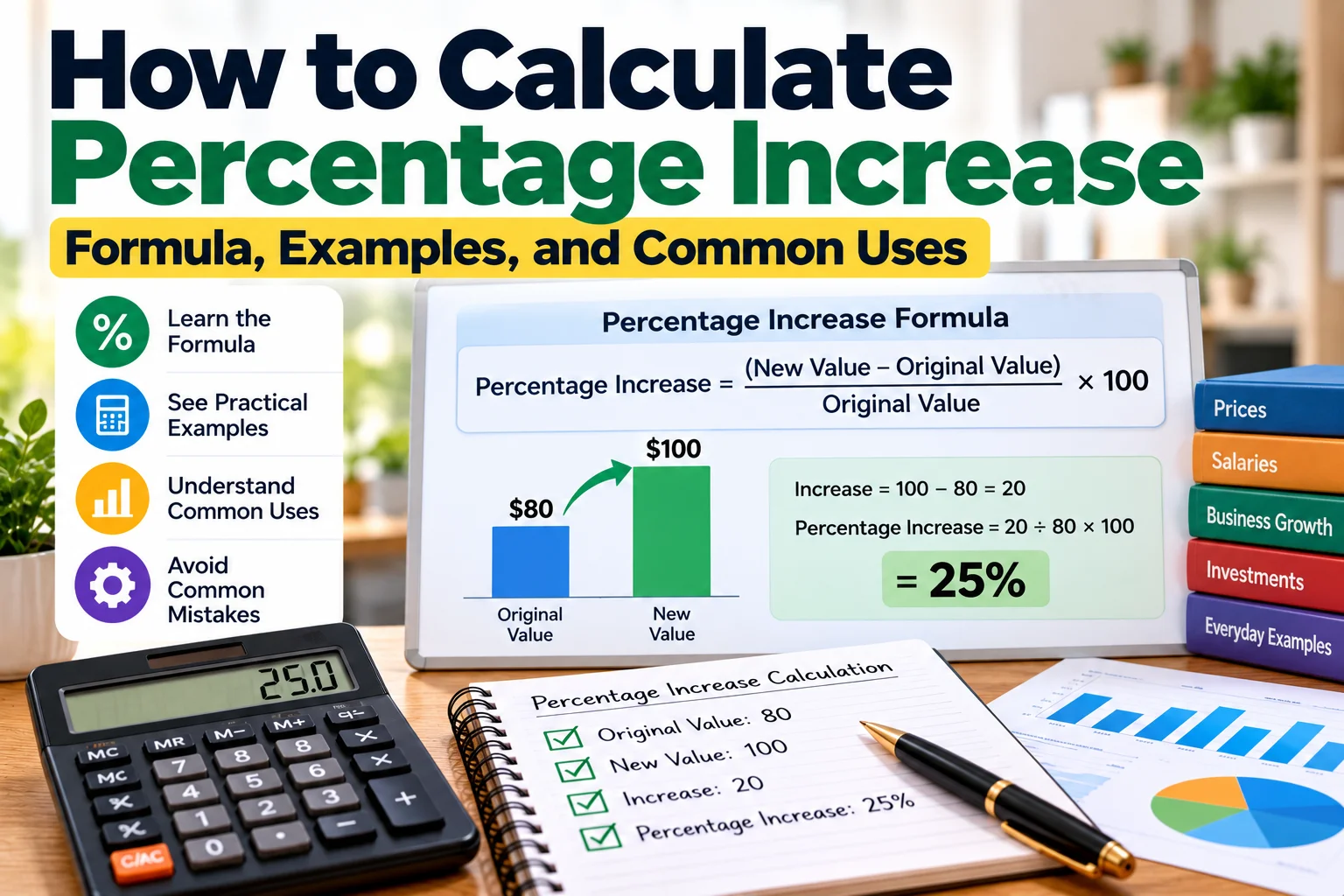
Percentage increase is a simple way to measure how much a value has grown compared with where it started.
You might use it to calculate how much a product price increased, how much your salary changed, how quickly business revenue grew, or how one measurement compares with an earlier value.
The calculation requires only two numbers: the original value and the new value. Once you know those numbers, you can find both the actual increase and the percentage increase.
The key is to compare the increase with the original value, not the new value.
What Is Percentage Increase?
Percentage increase shows the size of an increase relative to the starting value.
For example, suppose a value rises from:
80 to 100
The actual increase is:
100 − 80 = 20
But saying that the value increased by 20 does not tell you how large that increase was compared with the original amount.
Percentage increase solves that problem.
Since 20 is 25% of 80, the percentage increase is:
25%
This makes percentage changes easier to compare even when the original values are different.
Percentage Increase Formula
The standard formula is:
Percentage Increase = ((New Value − Original Value) ÷ Original Value) × 100
You can think of the calculation in three steps:
- Subtract the original value from the new value.
- Divide the increase by the original value.
- Multiply the result by 100.
The final answer is expressed as a percentage.
Simple Percentage Increase Example
Suppose a monthly expense increases from:
$200 to $250
First calculate the increase:
$250 − $200 = $50
Next divide the increase by the original amount:
$50 ÷ $200 = 0.25
Multiply by 100:
0.25 × 100 = 25%
The expense increased by:
25%
Notice that the denominator is $200, because that was the original value.
Another Example: 120 to 150
Suppose a value changes from 120 to 150.
Calculate the difference:
150 − 120 = 30
Divide by the original value:
30 ÷ 120 = 0.25
Convert to a percentage:
0.25 × 100 = 25%
So the percentage increase is:
25%
Why the Original Value Matters
One of the most common percentage mistakes is dividing by the new value instead of the original value.
Consider the same change:
80 → 100
The increase is:
20
Correct calculation:
20 ÷ 80 × 100 = 25%
If you incorrectly divide by the new value:
20 ÷ 100 × 100 = 20%
That gives a different result.
Percentage increase measures growth relative to where you started, so the original value belongs in the denominator.
Percentage Increase in Price
Percentage increase is often used to compare prices.
Suppose a product previously cost:
$50
Its new price is:
$62
Calculate the increase:
$62 − $50 = $12
Divide by the original price:
$12 ÷ $50 = 0.24
Multiply by 100:
0.24 × 100 = 24%
The product price increased by:
24%
Percentage Increase in Salary
Suppose an employee's annual salary changes from:
$45,000 to $49,500
First find the increase:
$49,500 − $45,000 = $4,500
Then:
$4,500 ÷ $45,000 = 0.10
Multiply by 100:
0.10 × 100 = 10%
The salary increased by:
10%
The dollar increase is $4,500, while the percentage increase is 10%.
Both figures describe the same change in different ways.
Percentage Increase in Business Revenue
Businesses often use percentage change to compare revenue between periods.
Suppose a business generated:
Previous Revenue: $75,000
New Revenue: $90,000
The increase is:
$90,000 − $75,000 = $15,000
Now divide by the previous revenue:
$15,000 ÷ $75,000 = 0.20
Multiply by 100:
0.20 × 100 = 20%
Revenue increased by:
20%
This does not necessarily mean profit increased by 20%. Revenue and profit are different measurements, and expenses may also have changed.
Percentage Increase in Website Traffic
Suppose a website received:
20,000 visits last month
and:
26,000 visits this month
The increase is:
26,000 − 20,000 = 6,000
Percentage increase:
6,000 ÷ 20,000 × 100 = 30%
Website visits increased by:
30%
This type of calculation can also be used for page views, subscribers, conversions, downloads, or other measurable activity.
Percentage Increase in an Investment
Suppose an investment was originally worth:
$5,000
and later became worth:
$5,750
The increase is:
$5,750 − $5,000 = $750
Percentage increase:
$750 ÷ $5,000 × 100 = 15%
The value increased by:
15%
This simple example does not account for factors such as additional contributions, withdrawals, fees, taxes, dividends, or the length of the investment period. Those factors may need to be considered when measuring actual investment performance.
Quick Percentage Increase Examples
| Original Value | New Value | Increase | Percentage Increase |
|---|---|---|---|
| 50 | 60 | 10 | 20% |
| 80 | 100 | 20 | 25% |
| 100 | 125 | 25 | 25% |
| 200 | 250 | 50 | 25% |
| 500 | 600 | 100 | 20% |
| 1,000 | 1,150 | 150 | 15% |
The same percentage increase can represent very different numerical increases depending on the original value.
How to Find the New Value After a Percentage Increase
Sometimes you already know the original value and the percentage increase, and you want to calculate the new value.
Use:
New Value = Original Value × (1 + Percentage Increase ÷ 100)
Suppose the original price is:
$400
and it increases by:
15%
Convert 15% to decimal form:
15 ÷ 100 = 0.15
Then:
$400 × (1 + 0.15)
$400 × 1.15 = $460
The new value is:
$460
You can also calculate the increase separately:
$400 × 15% = $60
Then:
$400 + $60 = $460
Both methods produce the same result.
How to Find the Original Value
You may sometimes know the new value and the percentage increase but not the original value.
The formula can be rearranged:
Original Value = New Value ÷ (1 + Percentage Increase ÷ 100)
Suppose a price is now:
$120
after a:
20% increase
Calculate:
$120 ÷ 1.20 = $100
The original value was:
$100
Checking the result:
20% of $100 = $20
and:
$100 + $20 = $120
Percentage Increase vs. Percentage Decrease
The basic idea is similar, but the direction of change is different.
If a value moves from:
$100 to $120
the percentage increase is:
20%
If it moves from:
$100 to $80
the percentage decrease is:
20%
For a decrease, the formula is:
Percentage Decrease = ((Original Value − New Value) ÷ Original Value) × 100
The original value is still used as the reference point.
A 20% Increase and a 20% Decrease Do Not Cancel Each Other
This is an important percentage concept.
Suppose a price starts at:
$100
It increases by 20%:
$100 × 1.20 = $120
Now reduce $120 by 20%:
$120 × 0.80 = $96
The final value is:
$96
not $100.
Why?
Because the 20% increase was calculated from $100, while the 20% decrease was calculated from $120.
The base value changed.
To return from $120 to $100, the required decrease is approximately:
16.67%
because:
$20 ÷ $120 × 100 ≈ 16.67%
Percentage Increase vs. Percentage Points
Percentage increase and percentage points are not the same thing.
Suppose a rate changes from:
20% to 25%
The difference is:
5 percentage points
But the relative percentage increase is:
(25 − 20) ÷ 20 × 100 = 25%
So you can correctly describe the change as:
An increase of 5 percentage points
or:
A 25% increase relative to the original rate
These statements describe the same change in two different ways.
This distinction is especially important when discussing interest rates, survey results, conversion rates, margins, and other values that are already expressed as percentages.
What Happens If the Original Value Is Zero?
The standard percentage increase formula cannot calculate a conventional percentage increase from zero.
Consider:
Original Value = 0
New Value = 50
The formula would require:
50 ÷ 0
Division by zero is undefined.
You can correctly say that the value increased from 0 to 50, but a standard percentage increase cannot be calculated using zero as the original value.
A calculator should therefore avoid returning a normal percentage result when the original value is zero.
What About Negative Starting Values?
Percentage change becomes more complicated when the original value is negative.
For example, changes involving losses, temperatures below zero, debt balances, or other negative measurements may produce mathematically valid-looking results that are difficult or misleading to interpret using the standard percentage increase formula.
In these situations, it is often better to describe the actual numerical change and explain the context rather than relying only on a percentage.
How to Calculate Multiple Percentage Increases
If a value increases several times, you generally should not simply add the percentages when you want the exact overall change.
Suppose $100 increases by 10%.
New value:
$100 × 1.10 = $110
Then it increases by another 20%.
New value:
$110 × 1.20 = $132
The value moved from $100 to $132.
Overall percentage increase:
($132 − $100) ÷ $100 × 100 = 32%
The overall increase is:
32%
not 30%.
This happens because the second increase is calculated from the new value of $110 rather than the original $100.
Why Percentage Change Is Useful
Percentage change makes it easier to compare changes of different sizes.
For example:
Company A: Revenue rises from $10,000 to $12,000.
Increase:
$2,000
Percentage increase:
20%
Company B: Revenue rises from $100,000 to $110,000.
Increase:
$10,000
Percentage increase:
10%
Company B gained more dollars, but Company A experienced the larger percentage increase.
Looking at both the absolute change and percentage change gives more context.
Common Uses of Percentage Increase
Percentage increase appears in many everyday situations, including:
- Product price changes
- Salary increases
- Rent changes
- Business revenue growth
- Website traffic
- Sales volume
- Population changes
- Utility bills
- Production output
- Investment values
- Test results
- Customer numbers
- Subscription growth
The same basic formula works whenever you are comparing a higher new value with an earlier starting value.
Common Percentage Increase Mistakes
Dividing by the New Value
The increase should normally be divided by the original value.
Forgetting to Multiply by 100
A decimal such as 0.25 represents:
25%
not 0.25%.
Confusing the Increase With the New Value
If a price moves from $80 to $100, the increase is:
$20
not $100.
Adding Successive Percentage Changes
Multiple percentage increases are applied to changing base values, so simply adding them may not give the exact total percentage change.
Confusing Percentage Points With Percent Change
A rate moving from 10% to 15% increased by 5 percentage points, but its relative increase is 50%.
Trying to Calculate a Standard Increase From Zero
The usual formula requires division by the original value. If that value is zero, the standard percentage increase is undefined.
Use a Percentage Increase Calculator
Manual calculations are useful for understanding how percentages work, but a calculator is faster when comparing several values.
The ZU Calculator Percentage Increase Calculator can calculate the change between an original value and a new value without requiring you to work through each step manually.
It can be useful when comparing prices, salaries, sales, business figures, or other numerical changes.
The Percentage Calculator can also help with related calculations such as finding a percentage of a number or determining values after percentage adjustments.
Frequently Asked Questions
What is the formula for percentage increase?
Use:
((New Value − Original Value) ÷ Original Value) × 100
How do I calculate an increase from 50 to 75?
First find the difference:
75 − 50 = 25
Then:
25 ÷ 50 × 100 = 50%
The percentage increase is:
50%
What is the percentage increase from 200 to 250?
The increase is:
250 − 200 = 50
Then:
50 ÷ 200 × 100 = 25%
The percentage increase is:
25%
How do I add 10% to a number?
Multiply the original number by:
1.10
For example:
$500 × 1.10 = $550
Is a change from 20% to 25% a 5% increase?
It is an increase of 5 percentage points. Relative to the original 20%, however, the percentage increase is:
25%
Can I calculate percentage increase from zero?
Not with the standard formula. Because the calculation requires division by the original value, an original value of zero makes the conventional percentage increase undefined.
Is percentage increase the same as absolute increase?
No.
Absolute increase is the numerical difference between the new and original values.
Percentage increase expresses that difference relative to the original value.
Final Thoughts
Percentage increase provides a simple way to understand how much a value has grown compared with its starting point.
The key formula is:
Percentage Increase = ((New Value − Original Value) ÷ Original Value) × 100
Remember that the original value is the reference point.
Once that principle is clear, the same calculation can be applied to prices, salaries, business revenue, traffic, sales, investments, and many other everyday measurements.
For quick comparisons, a percentage calculator can save time, but understanding the formula helps you recognize whether the result makes sense.
Note: Examples in this guide are provided for educational purposes. Financial, business, investment, and other real-world decisions may involve additional factors that are not captured by a simple percentage-change calculation.